














Working in the Digital Engineering team I was responsible for creating a Systems Classification Hierarchy for the EWR infrastructure along with an Asset Breakdown Structure to manage the relationships, data quality, data transfer and data administration required for the production of a new railway from Oxford to Cambridge. This included designing and constructing an interactive javascript relationship visualisation that exposed the hierarchy and interface relationships with clarity and style. Using Python scripts to convert XSD documents into readable data, presenting visualisations and tutorials in a web interface, utilising VBA for file manipulation and node.js and react.js for Bentley i-twin development provided me with a varied and interesting world of development.
My first python task was to parse the hierarchy data from an XSD document to an XML document so that it was compatible to load into our AIMS database. The XSD document was downloaded from Building Smart and contains the IFC 4.3 classification hierarchy that includes the new classifications for the rail industry
The sample below shows my code for converting the IFC document
# Last updated: 18 Dec 2023
# import required libraries
import os, errno
from bs4 import BeautifulSoup
from datetime import datetime
from _pyio import TextIOWrapper
# establish classes
class Element:
def __init__ (self, code, desc, parent):
self.code = code
self.desc = desc
self.parent = parent
self.child = [ ]
# establish functions
# searchXML locates a child element and appends it to the parents hierarchy in the Element class
def searchXML (node, code, parent: Element):
for tag in bs_data.find_all(node, {'substitutionGroup':"ifc:"+code}):
el = Element(tag['name'],"",code)
parent.child.append(el)
searchXML('element', tag['name'], el)
# printElem works through the hierarchy collection of elements and prepares the XML for each element
def printElem(el:Element, n, f:TextIOWrapper):
for elem in el.child:
s = "<class owner=\"EWR\" code="\""+elem.code+"\" level=\""+str(n)+"\" name=\""+elem.code+"\" validFrom=\""+datetime.today().strftime('%Y-%m-%dT%H:%M:%S+01:00')+"\" chainage=\"Not applicable\" postalAddress=\"Not applicable\" gridReference=\"Not applicable\""
buffer = "".join([' ' for i in range(n*4)])
if len(elem.child)>0:
f.write(buffer+s+">\n")
printElem(elem,n+1,f)
else:
f.write(buffer+s+"/>\n")
for elem in el.child:
s = "<classRelationship owner=\"EWR\" type=\"Has subclass (vis only)\" relatedTo=\""+elem.code+"\" relatedToCode=\""+elem.code+"\" expectedAtStage=\"\" requiredAtStage=\"1\" validFrom=\""+datetime.today().strftime('%Y-%m-%dT%H:%M:%S+01:00')+"\"/>\n"
buffer = "".join([' ' for i in range(n*4)])
f.write(buffer+s)
buffer = "".join([' ' for i in range(n*4)])
if el.code!="ifcRoot" and len(el.child)>0:
scl=buffer+"</class>\n"
f.write(scl)
# First we need to read through the IFC XML document that is ordered alphabetically
# and structure the nodes using a multidimensional array
with open('IFC4.3.xsd', 'r') as f:
data = f.read()
bs_data = BeautifulSoup(data, "xml")
# locate the parent element called ifcRoot and then seach for each subsequent child element
# and add it to the Element class
for tag in bs_data.find_all('element', {'name':"IfcRoot:"}):
if tag['substitutionGroup'] == "ifc:Entity":
el = Element(tag['name'],"", "IfcEntity")
searchXML('element', tag['name'], el)
# delete the AIMS IFC classification file if it already exists
try:
os.remove("IFC_DataDictionary.xml")
except OSError as e:
if e.errno != errno.ENOENT: # errno.ENOENT = no such file or directory
raise# re-raise exception if a different error occurred
#create the new AIMS IFC classification file
f.open("IFC_DataDictionary.xml", "a")
f.write("<?xml version='1.0' encoding='UTF-8'?>\n")
f.write("<assetDataDictionary xmlns=\"http://datb.net/asset\" class=\"\" reportingDate=\"2022-12-08T15:34:04Z\">\n")
#loop through the hierarchy using printElem
s = "<class owner=\""+el.code+"\" level=\"1\" name=\""+el.code+"\" validFrom=\""+datetime.today().strftime('%Y-%m-%d%H:%M:%S+01:00')+"\" chainage=\"Not applicable\" postalAddress=\"Not applicable\" gridReference=\"Not applicable\">\n"
f.write(s)
printElem (el,2,f)
f.write("</assetDataDictionary>\n")
f.close()
Bentley i-twin:
I was asked to research Bentley i-twin development. I took a templated model and followed the directions
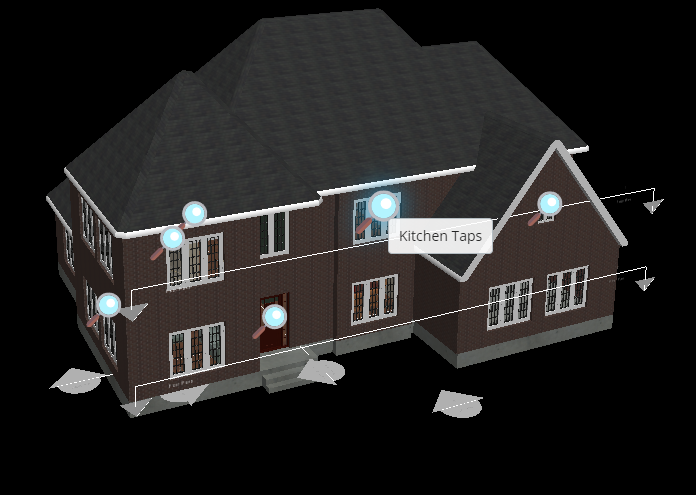
online to add functionality to the itwin including this search feature illustrated below where
you can target selected assets in the model to create a zoomable link. The kitchen taps are
highlighted in the image below followed by the display once the magnifying glass has been selected.
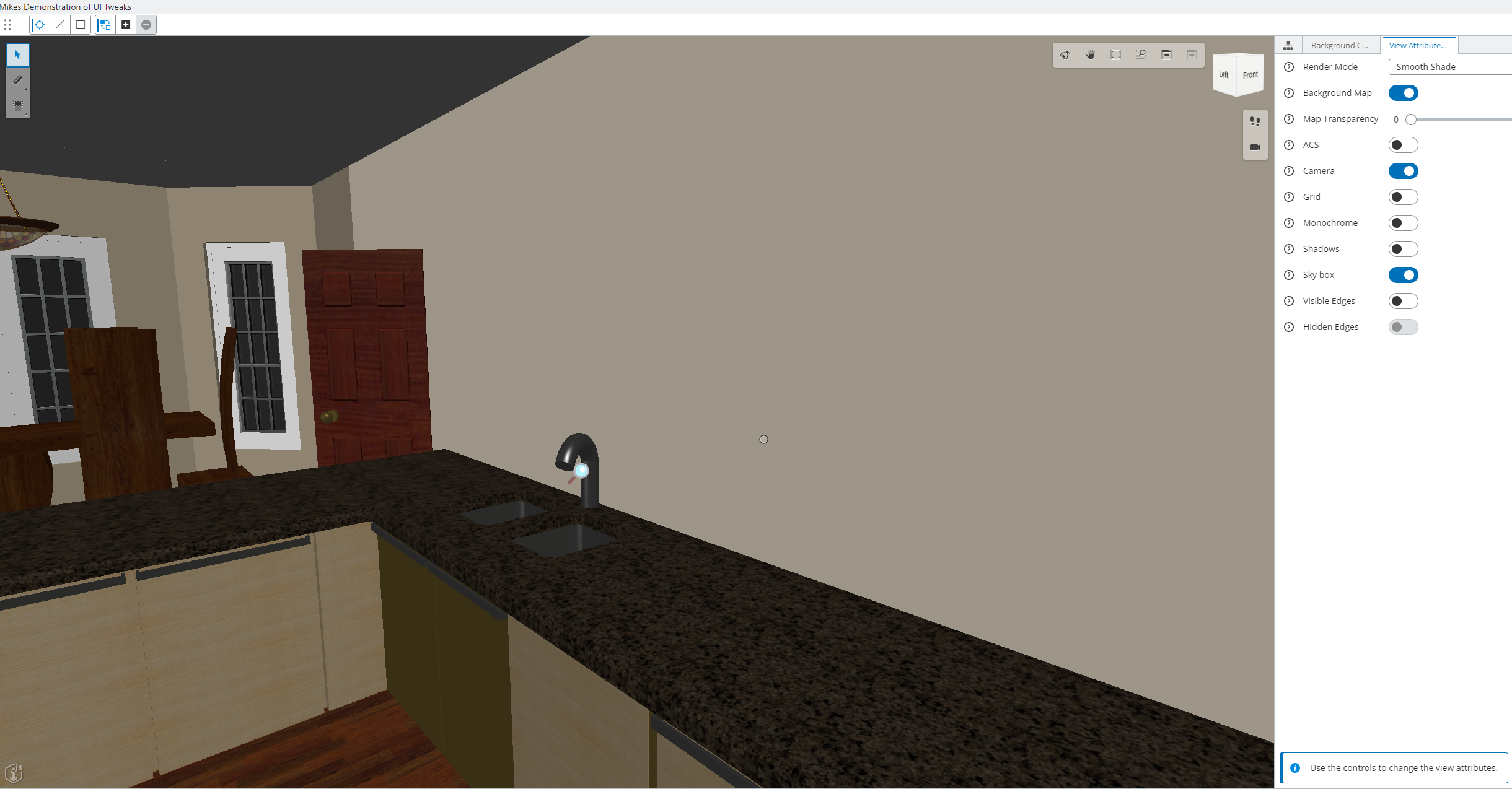
This shows the taps following the selection
The modifications to the itwin model are developed in C# utilising node.js, react and SASS. I used VS code as the IDE for this exercise.
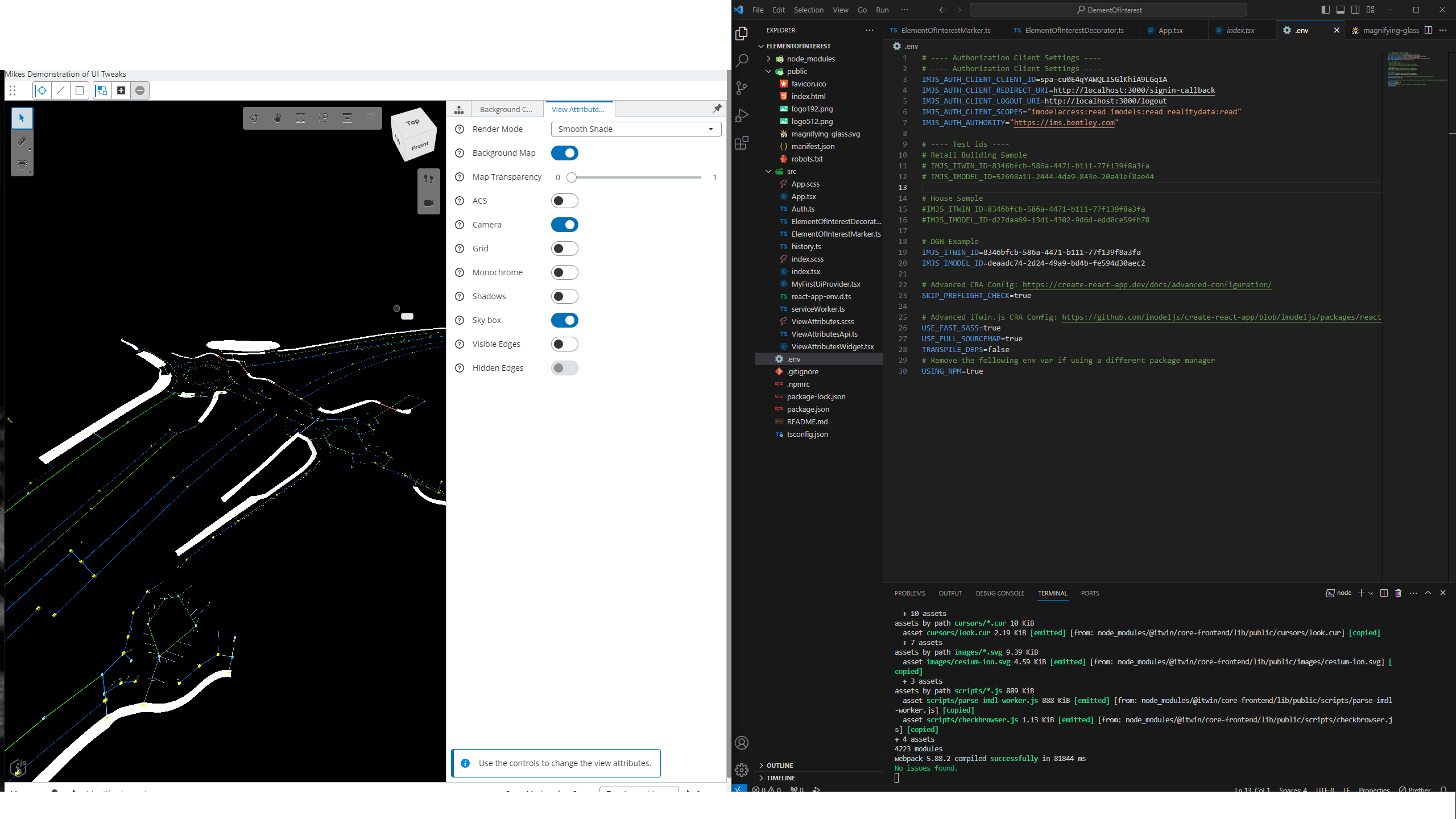
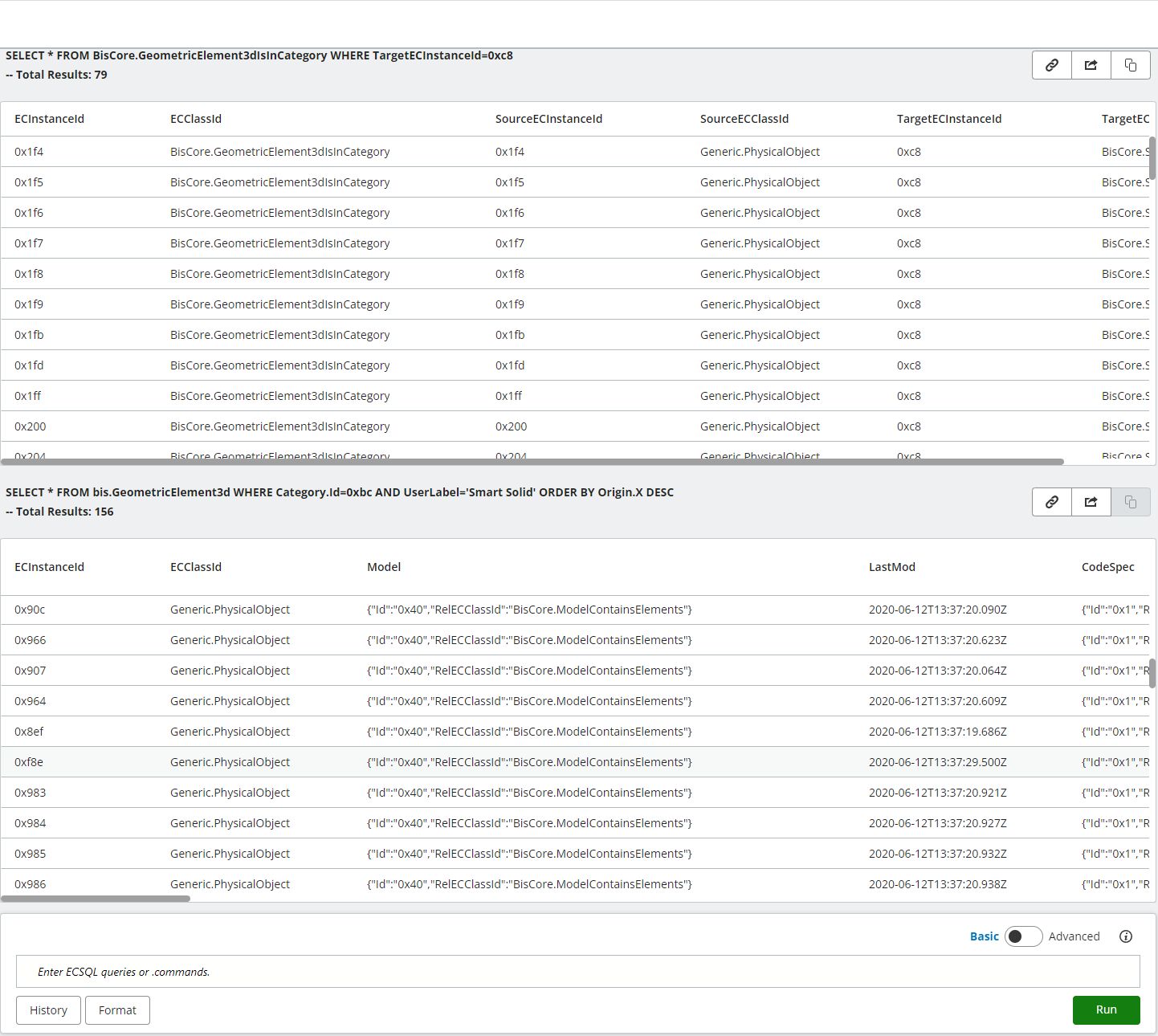
The assets within the model could be sourced using SQL in their imodel console.
With limitations in Visio to visualise the extensive hierarchy of the systems I decided to create a javascript tool that would provide a bit of flexibility in it's presentation and functionality including hyperlinks to the secondary classifications of uniclass and ifc. You can find it here: Systems Classification Hierarchy. Following this I had other requests to publish pages on to the github web host including training manuals for the AIMS database.